
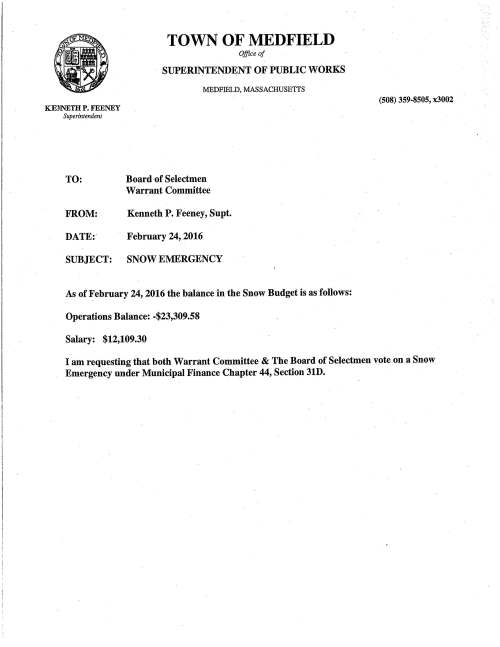
So as part of my new more educated posting, I have posted below jpg’s of the agenda, but embedded in the last jpg as alternate text the wording of the entire agenda, so as I understand it, the post should be word searchable. Let me know if I got any of it wrong.





 Medfield02052's Blog
That worked great. Searching the site for “Snow Emergency” finds this post because of the Alt Text. Searching for some of the other agenda items works too and finds this page because of the Alt Text.
LikeLike
I only see the “agenda” that is part of the “Meeting Notice” jpg.
LikeLike
Matt, Thanks for educating me on how to embed the text so it is searchable! Not sure what you mean Shawn.
LikeLike
Shawn,
To follow up, the “alternate text” is not visible to you and me looking at the post, however, it is readable by computers and so anyone doing a word search for the text will be directed to the post. The problem when I posted just the jpg alone was that it is a picture of text, but without me doing more that text is not searchable by the computer. Matt taught me how to embed the actual text into the picture (not visibly seen, but embedded and searchable).
LikeLike